Appearance
Step 7: Category Framing
Fresh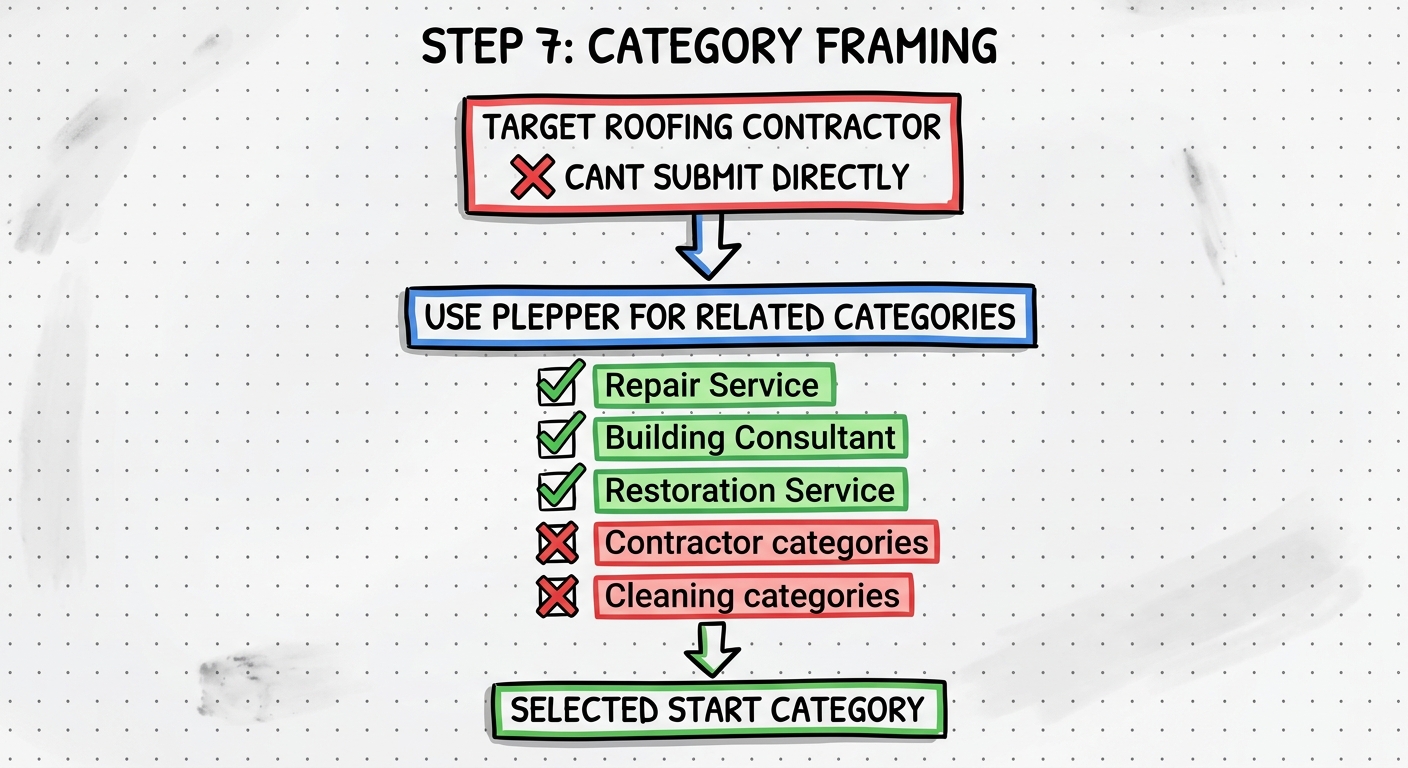
Overview
This is the core of the method. You need to research and select a starting category that will not trigger video verification or suspension, then plan your ladder path up to your target category.
Procedure
1. Research Categories with Plepper
- Go to Plepper.com and log in ($10/month)
- Click the hamburger menu
- Go to Tools then GBP Categories
- Click Fetch Google Business Profile Categories (United States)
- Search for your target category (e.g., "Roofing Contractor")
- Click Related Categories
- Review the list of related categories
2. Choose a Starting Category
Look for a category that is:
- Not on Google's spam radar
- Not a home service/trade category
- Easy to get live without video verification
Categories That Will NOT Work as Starters
- Anything containing "contractor"
- Anything containing "cleaning"
- Installation categories
- Construction categories
- Carpenter and trade categories
- Roofing Supply Store (treated the same as roofing)
Good Starting Categories
- Repair Service — low risk, often works
- Building Consultant — not on this list but works well
- Restoration Service — another good option
3. Plan the Ladder Path
Map out your steps from easy to target:
Example for Roofing Contractor:
Repair Service → Contractor → Roofing Contractor
   (easy)          (medium)       (target)
Example for Plumber:
Repair Service → Building Consultant → Plumber
    (easy)           (medium)           (target)
Trial and Error
There is trial and error involved. If you are unsure about a category path, reach out for guidance. Different categories may need different starting points.
Tools Used
| Tool | Purpose |
|---|---|
| Plepper | GBP category research and related categories |
Output
At the end of this step you should have:
- A safe starting category selected
- A planned ladder path from easy to target
- Understanding of which categories to avoid
Next Step: Step 8: The Ladder Method