Appearance
Step 2: Domain & Hosting
Fresh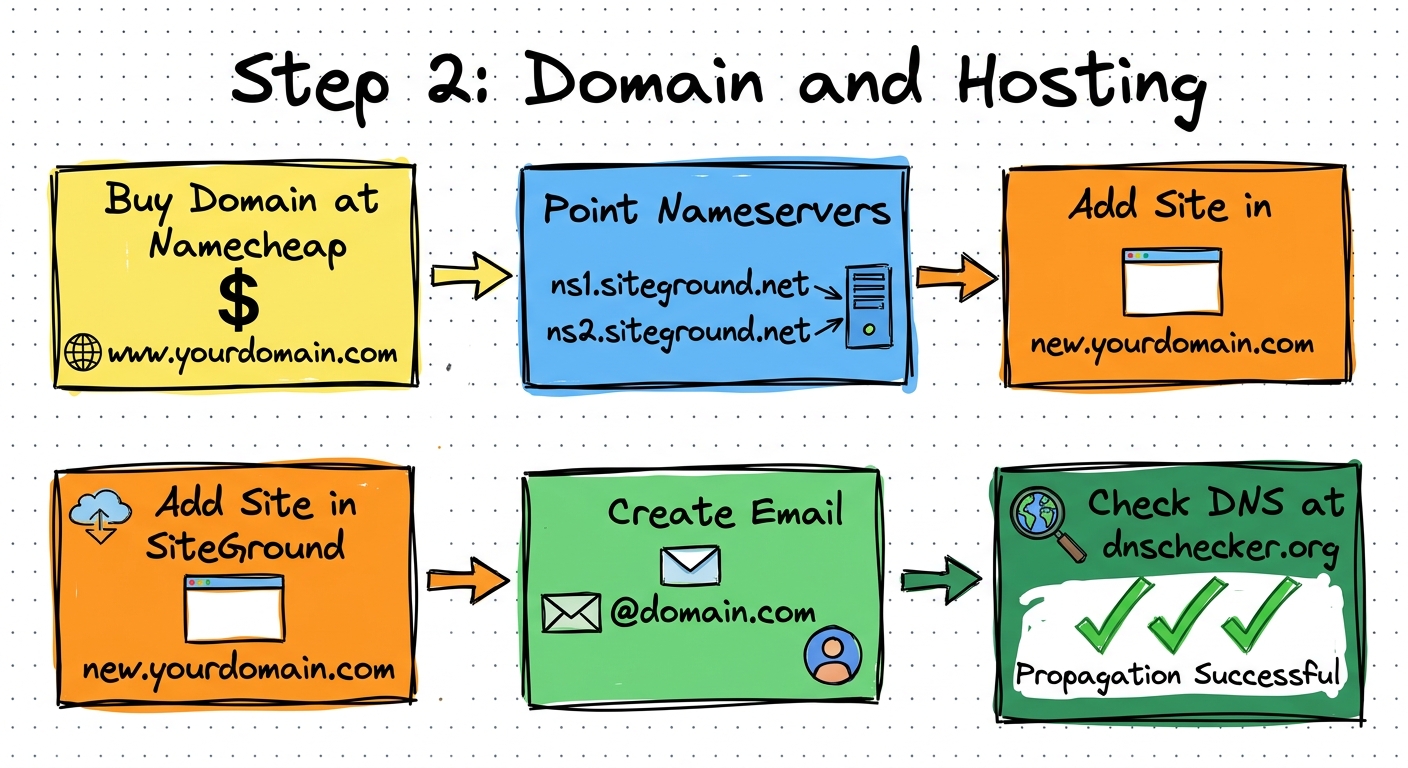
Overview
Purchase a cheap domain and connect it to your hosting. This is the foundation for the one-page website that supports your GBP listing.
Procedure
1. Purchase the Domain
- Go to Namecheap (namecheap.com)
- Search for an exact match domain to your business name
- Select a .shop domain (cheapest option, around $1.18)
- Complete the purchase
Throwaway Domain
This is a temporary domain. Once the GBP is live, you can switch it to your real website domain. So do not spend much on it.
2. Point Domain to Hosting
- In Namecheap, click Dashboard then Manage on your domain
- Scroll to Name Servers and select Custom
- Enter SiteGround nameservers:
ns1.siteground.netns2.siteground.net
3. Add Domain to SiteGround
- Log in to SiteGround
- Go to Websites then New Website
- Click Skip and Create Blank Site
- Select Existing Domain and paste your domain
- Click Continue then Finish
4. Create an Email Address
- In SiteGround, go to Site Tools
- Create an email address (e.g.,
contact@yourdomain.shop) - Set a password and click Create
Email for Verification
This email will be used for GBP email verification later. Keep the credentials handy.
5. Check DNS Propagation
- Go to dnschecker.org
- Paste your domain
- Check the A record
- Look for green checks across servers
- If not propagated yet, wait 10-20 minutes and check again
Tools Used
| Tool | Purpose |
|---|---|
| Namecheap | Domain registration |
| SiteGround | Web hosting and email |
| dnschecker.org | DNS propagation check |
Output
At the end of this step you should have:
- A registered domain pointed to your hosting
- A working email address on that domain
- DNS propagation confirmed (green checks)
Next Step: Step 3: Create Website