Appearance
Step 1: Create Listing Info
Fresh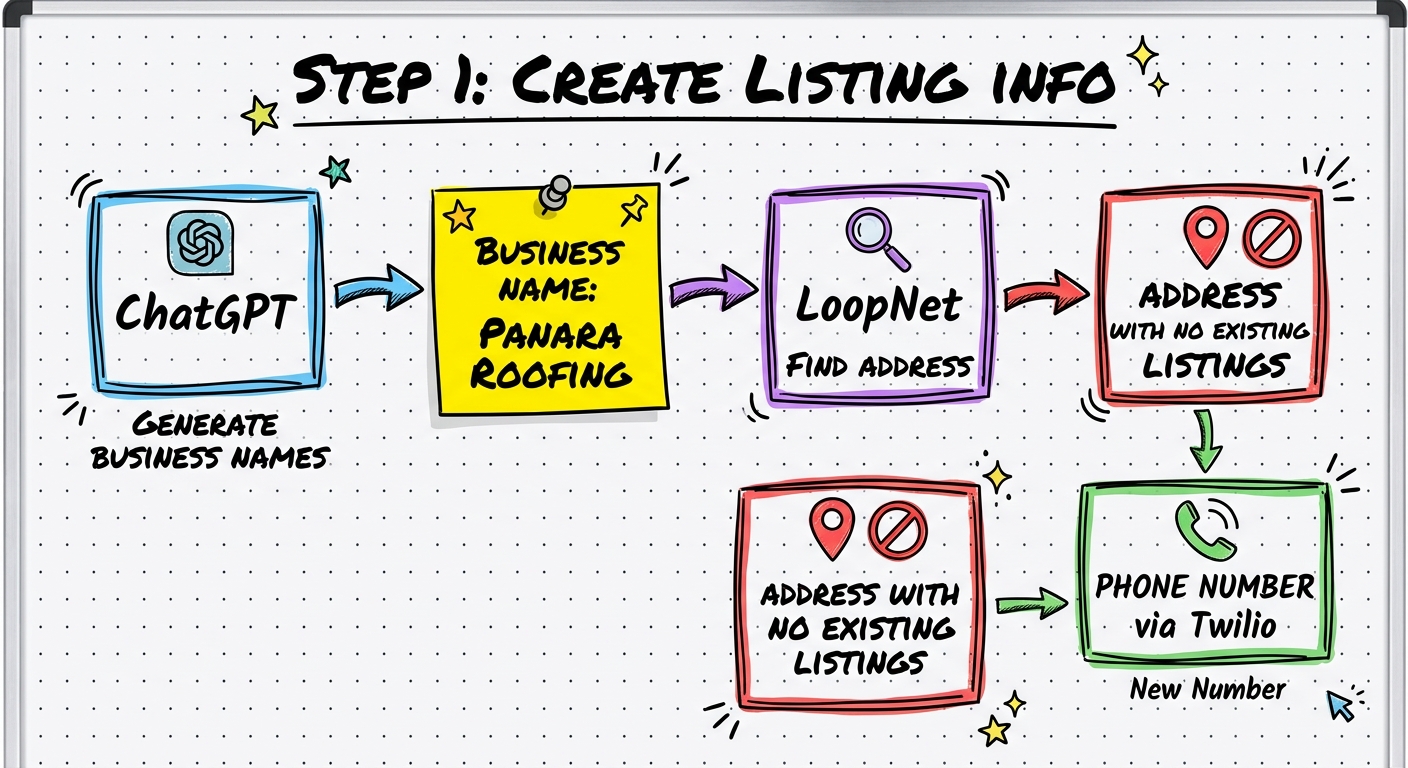
Overview
Before anything else, you need your NAP — Name, Address, and Phone Number. This is the foundation everything else is built on.
Procedure
1. Generate a Business Name
- Open ChatGPT
- Use this prompt: "Create a list of potential names for a [category] company. Be sure to include branded words."
- Select a name that is unique and branded — not a common word
Google is Name-Sensitive
Avoid common business words like "Apex", "Titan", "Premier", "Elite". These trigger extra scrutiny from Google. Use made-up or uncommon branded words instead.
Temporary Name
If you plan to change the name later, pick something easy to get live now. Names can be edited after verification.
2. Find an Address
- Go to LoopNet (loopnet.com)
- Search for your target city/area
- Go to Space Uses and select Flex (for home service categories)
- Find an office park or commercial space
Address Verification
You MUST check that no other Google Business Profile exists at the chosen address with the same category. Search the exact address in Google and check Maps.
- Ideal: find an address with no existing listings at all
- Suite numbers can be created as needed — not critical
3. Get a Phone Number
- Use Twilio or your preferred call tracking/forwarding service
- Get a local number for the target area
- This number will be used throughout the entire process
Tools Used
| Tool | Purpose |
|---|---|
| ChatGPT | Business name generation |
| LoopNet | Address discovery |
| Twilio | Phone number provisioning |
Output
At the end of this step you should have:
- A branded business name
- A verified clean address
- A working phone number
Next Step: Step 2: Domain & Hosting